
TL;DR
If you are going to implement it, plan it from the start. Follow the official example. Read the code. Do not throw everything at AI. Think about performance.
---
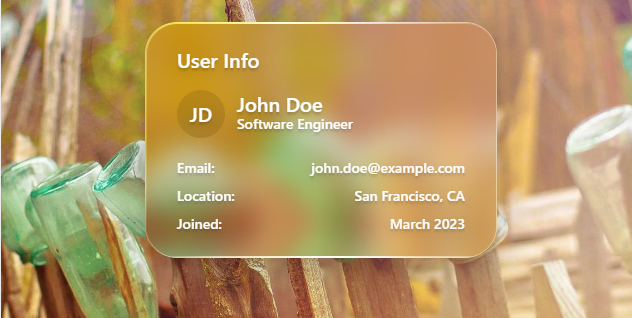
The part of this portfolio that trapped me the hardest was Liquid Glass.
Liquid Glass looks cool. I am not an iPhone user, so I had never had Liquid Glass UI around me in daily life. That made me admire it even more.
After a little searching, I found a promising repository called liquid-glass-react, so I tried using it. It was hell.
Implementing It First
Once the rough UI skeleton was done, I installed Liquid Glass and tried to turn the panels into glass. It did not work.
No blur appeared behind it. It was just a transparent sheet on top, and the images and text behind it did not distort at all. Clearing cache, restarting the dev server, nothing changed.
At this point I had a bad feeling.
- The library could be wrong
- My CSS could be conflicting
- The browser could be wrong
- My code could be wrong
All of them looked possible.
Looking At The Official Example
First, I looked at the official example. When in doubt, go official.
In the official DOM, LiquidGlass contains .glass__warp, and that element has backdrop-filter: blur(...) saturate(...) plus an SVG filter applied. The outer layer also had highlight spans and an edge-refraction filter.
I recreated it directly and made a local page similar to the official example. There, blur worked normally. That proved the library itself was innocent, and the problem was on this portfolio side. Obviously. There were no issues filed either.
Mixed Problems
The confusing part was that behavior differed depending on the place.
- The official example reproduction blurred correctly
- Most other places did not blur at all
- It only blurred when text was behind it
- It only blurred images
The behavior was so inconsistent that fixes kept going in circles.
I Ended Up Rebuilding It
Codex also kept doing sloppy things, such as adding a pale low-opacity background and calling it done, or deleting the liquid-glass-react package and moving to a custom implementation because it could not get the library working. This time I fired it.
In the end, I created div elements matching the example, confirmed that blur worked, and then manually rebuilt pieces like the navigation menu on top of that. It felt like the first time in a while that I actually wrote code.
It Worked, But It Was Heavy
The last step was tuning appearance and load. No matter how good the design is, people will not see it if performance is bad. Likewise, if contrast is poor and text is unreadable, the whole thing misses the point.
From a past project, I already had a rough sense that blur amount affects performance and tint affects contrast, so I tuned while balancing look and speed. Applying Liquid Glass to every element was plainly heavy, so I limited it to navigation and the Featured Work section and used lighter pseudo-glass elsewhere.
Conclusion
What I should have done first was place the official example as-is and create the minimum working setup. Minimal setups matter. When testing something, make the smallest reproduction. When filing an issue, make the smallest reproduction. I was reminded again how important it is to test small and expand from there. I still have room to improve how I give instructions to Codex. I will work on that.